Warehouse Real-Time Monitor HMI
Track warehouse vehicles and pallets, follow active tasks and understand the events behind every movement — from one local touchscreen.
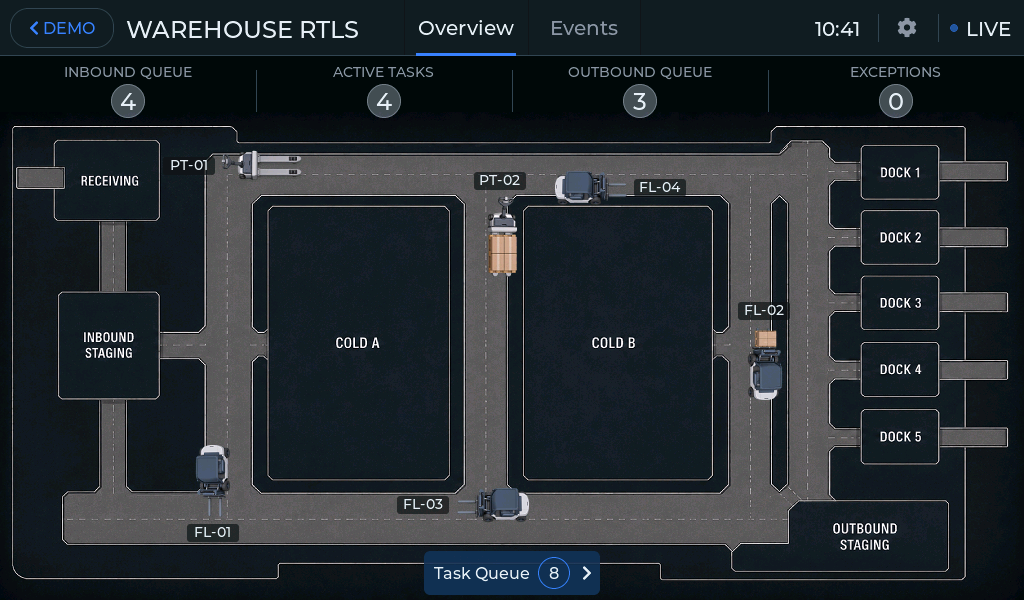
See what is happening across the warehouse
A Warehouse RTLS (Real-Time Location System) HMI demo for supervisors and dispatchers, connecting the warehouse map with vehicles, pallets, tasks, zones and operational events.
The operator can start from the overall warehouse view, open a vehicle or zone, follow the related pallet or task and move directly to the event behind an exception without losing the surrounding process context.
The demo is fully self-contained on the CrowPanel. No UWB tags, anchors, external location service, WMS or other warehouse backend are required to explore how this kind of interface can work.
- ✓Live warehouse map with moving handling equipment
- ✓Vehicles, pallets and their operational relationships
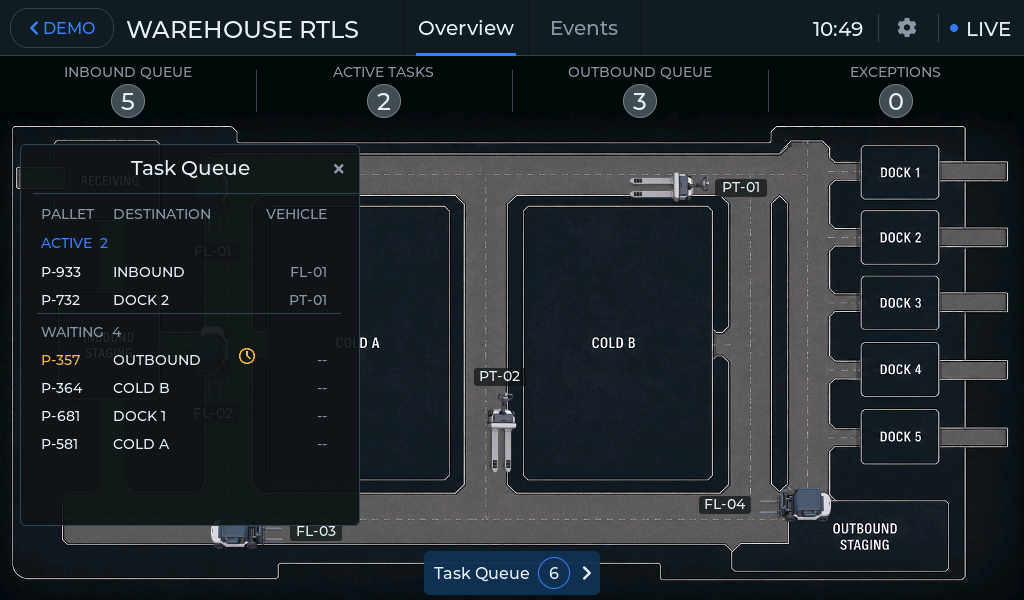
- ✓Active and waiting work in the Task Queue
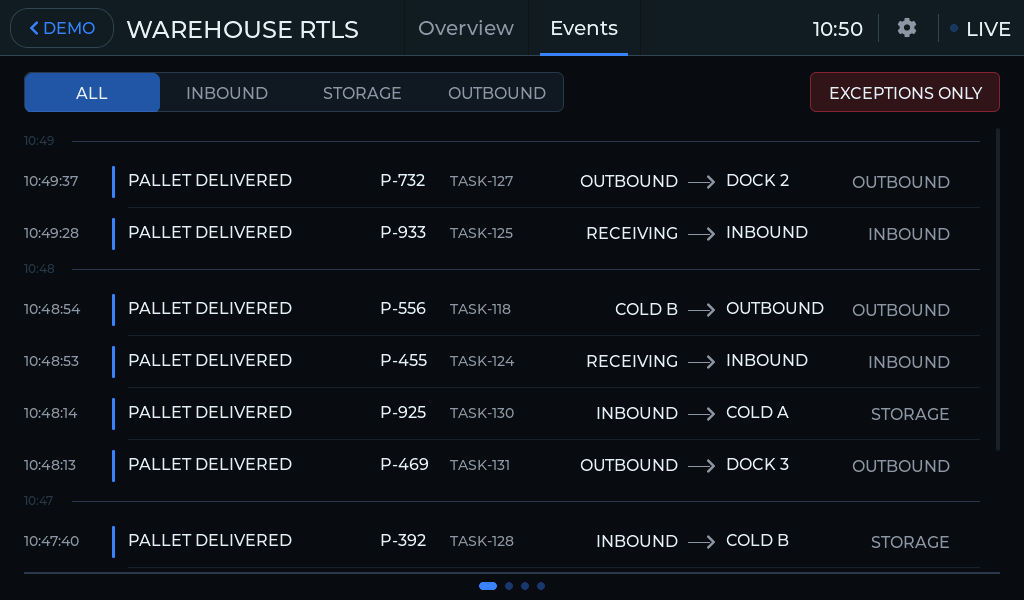
- ✓Warehouse-wide event history
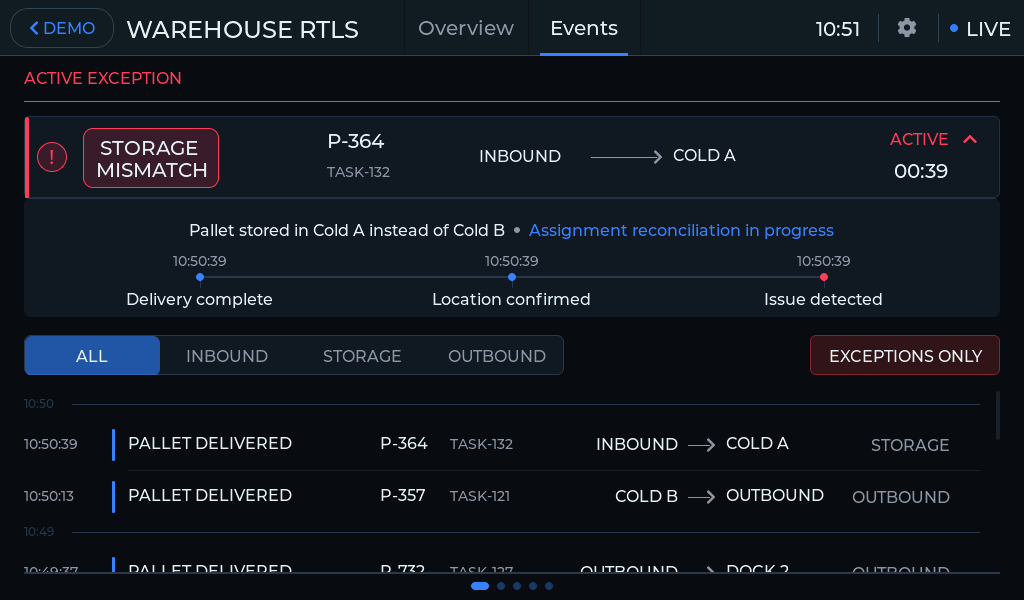
- ✓Exceptions with explanation and timestamped evidence
From location to operational context
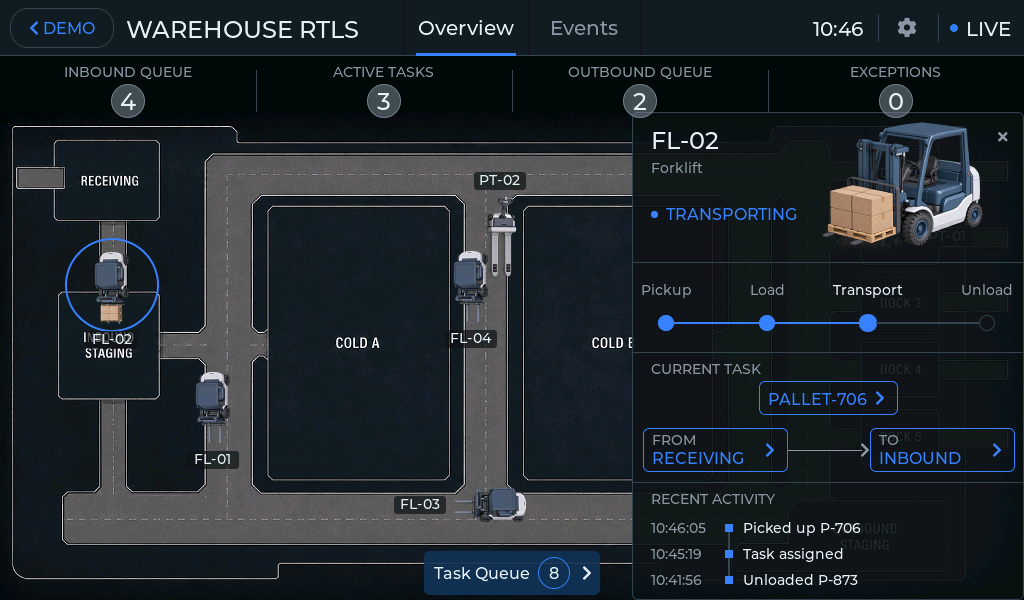
A position on the map is only the starting point. The HMI connects it with the load, task, destination and recent activity behind the movement.
Vehicle Detail explains what a forklift or pallet truck is doing now: its load, source, destination and progress through the handling operation. Linked objects can be opened directly instead of searching separate asset lists.
The same connected model applies to pallets, zones and tasks. A pallet provides its current location and movement history; a zone adds inventory and recent activity; Task Queue shows the work that drives warehouse movement.
Active and waiting tasks are grouped in one place, while attention indicators make delayed work visible without automatically treating every delay as a failure.
Ordinary task rows lead to the associated pallet. When a task is connected to an exception, the operator can open the event instead and continue the investigation in context.
From an alert to the evidence behind it
The HMI keeps warehouse events and exceptions connected to the operational activity around them, so the operator can understand not only where a problem appeared, but what led to it.
Live Events records activity across receiving, storage and outbound operations. The history can be filtered by process area or narrowed to exceptions, while active exceptions remain visible separately.
Opening an exception reveals the conclusion together with a timestamped evidence sequence. After the condition is resolved, the same event remains in history with the completed explanation.
From demo to real RTLS data
In a real deployment, position data from UWB tags and anchors can be connected with warehouse zones, vehicles, pallets, tasks and operational events. The supplied demo generates all movement and events locally on the panel, so no external RTLS infrastructure or warehouse backend is required to explore the concept.
Run the Warehouse RTLS HMI on CrowPanel ESP32-P4
Download the project, flash the CrowPanel and explore the complete warehouse demo directly on the panel. No UWB tags, anchors, location server, WMS or other external equipment are required.
Need a Similar HMI for Your Warehouse?
We can adapt the interface to your warehouse map, asset types, handling workflows, event rules, terminology and branding, as well as real RTLS data and warehouse backend integrations.