Fish tanks
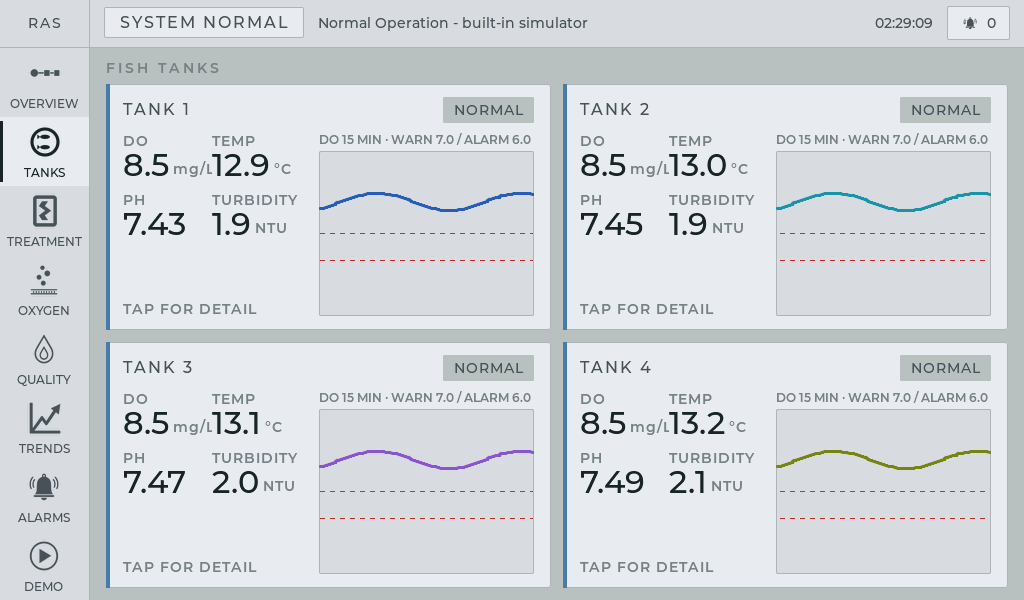
Dissolved oxygen, temperature, pH and turbidity are visible for each tank, with quick access to tank detail and recent trends.
Fish tanks, water treatment, oxygenation, water quality, trends and alarms on one 10.1-inch CrowPanel.
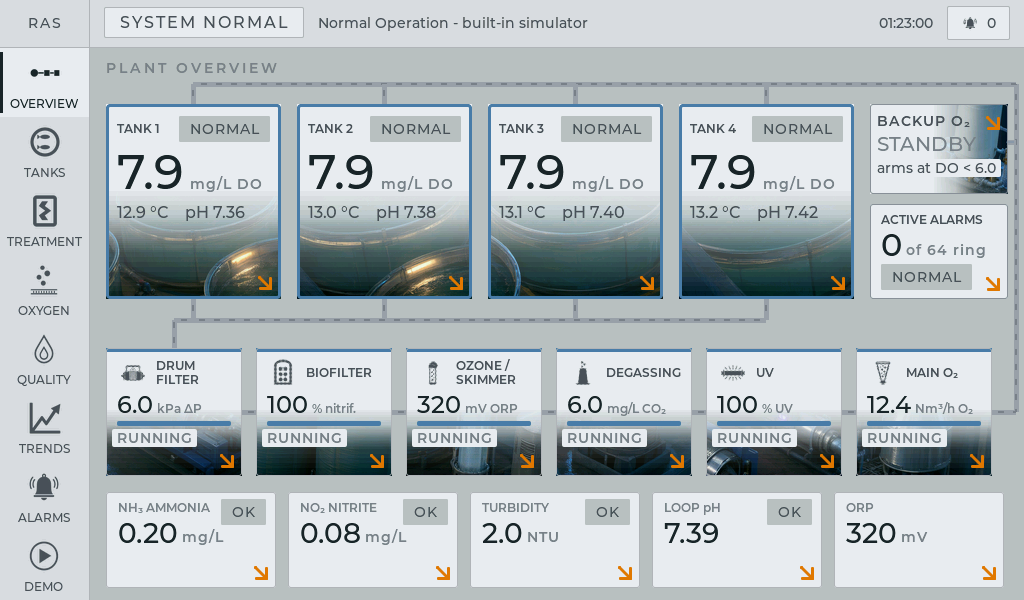
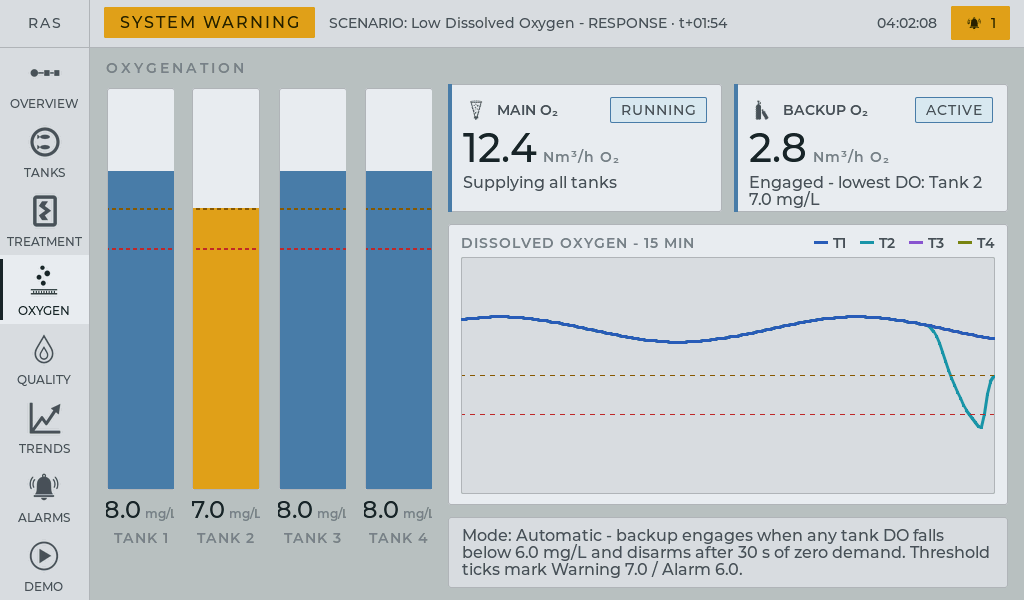
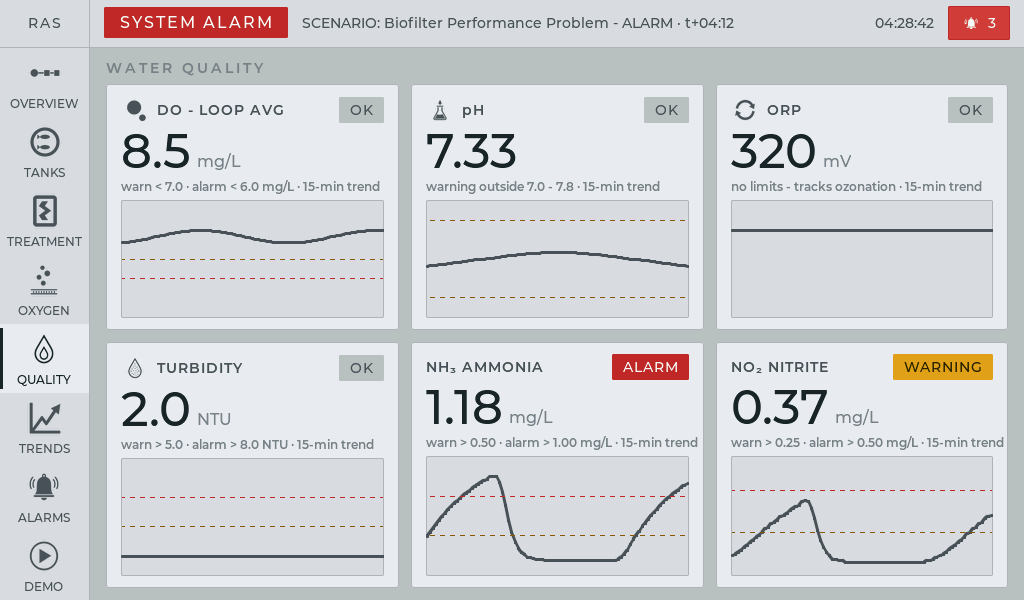
This application demonstrates how monitoring and control for a recirculating aquaculture system can be organized on a compact local touchscreen — from overall plant status to individual tanks, treatment equipment, water quality and alarms.
The main screen keeps the whole water loop visible. The operator sees four fish tanks on the supply manifold, the treatment chain in flow order, main and backup oxygenation, active alarms and the current chemistry of the loop.
Everything is designed for direct touch operation. From the overview, the operator can open a tank or subsystem, inspect live values and trends, and move to the part of the process that needs attention.
The demo is fully self-contained on the panel, so it can be used to evaluate the HMI concept without a PLC, external sensors or a network connection.
The interface follows the physical process: fish tanks feed into the same treatment and oxygenation loop, so the operator can understand the plant as one connected system rather than a collection of isolated values.
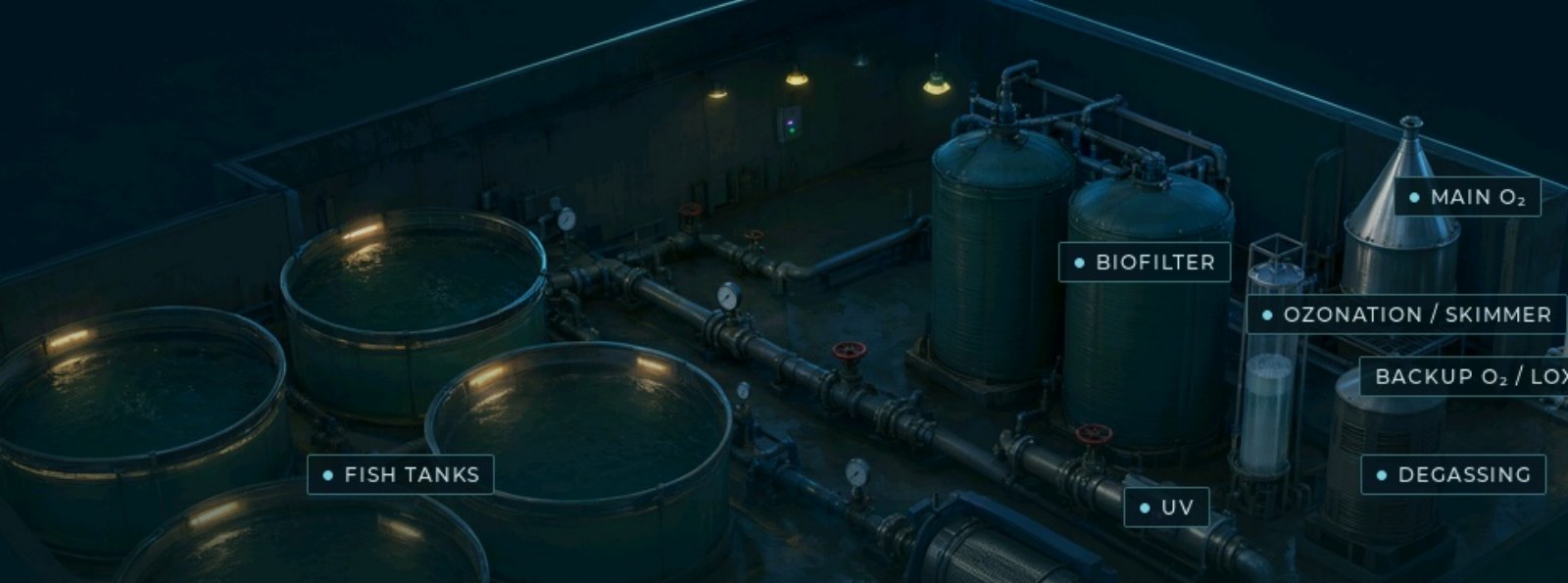
Dissolved oxygen, temperature, pH and turbidity are visible for each tank, with quick access to tank detail and recent trends.
The treatment chain stays in process order, with the state, efficiency and relevant operating parameters of each unit.
Main and backup oxygenation, loop chemistry, thresholds and trends are available without leaving the plant context.
The operator can move through Overview, Tanks, Treatment, Oxygen, Quality, Trends and Alarms depending on the task, while the top bar keeps overall plant state and active alarms visible.
Tanks shows the live condition of all four tanks. A tank can be opened for larger values, 15-minute sparklines and alarms related to that tank.
Treatment follows the five treatment units in flow order and exposes the parameters relevant to each stage, such as drum-filter differential pressure, biofilter nitrification and UV intensity.
Trends adds recent history and threshold lines, helping the operator understand how a parameter reached its current state rather than seeing only a single number.
The demo includes four predefined fault scenarios built in specifically to show how a real RAS HMI can behave when something goes wrong. Start a scenario on the panel and watch the condition develop through warnings and alarms, follow the affected part of the process, and see how the system can respond automatically — for example by engaging Backup O₂ when dissolved oxygen falls too low.
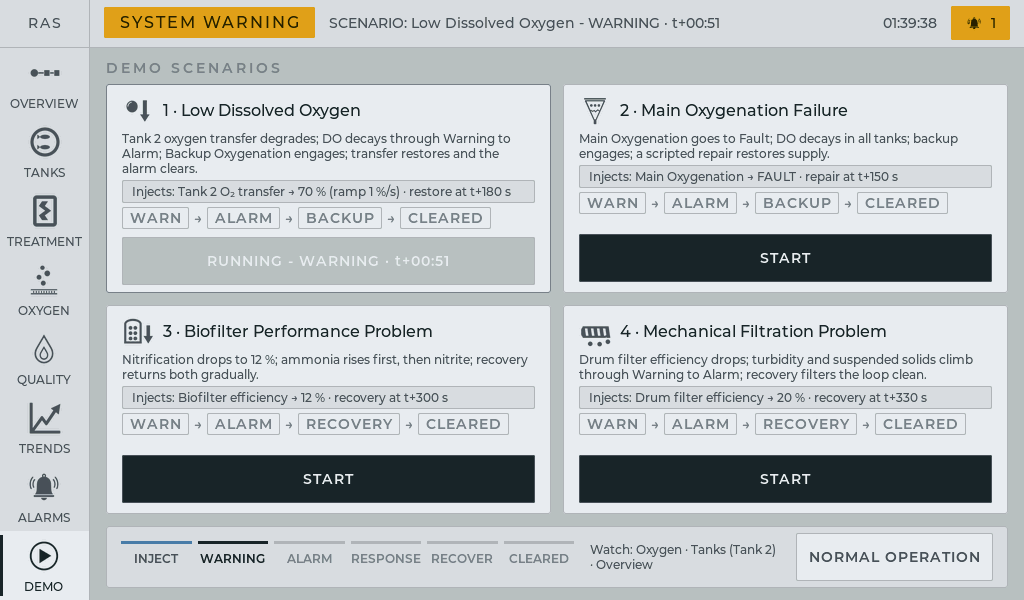
The visual language follows the ISA-101 principle used in industrial HMIs: normal operation stays calm and gray, while amber, red and magenta are reserved for warnings, alarms and equipment faults.
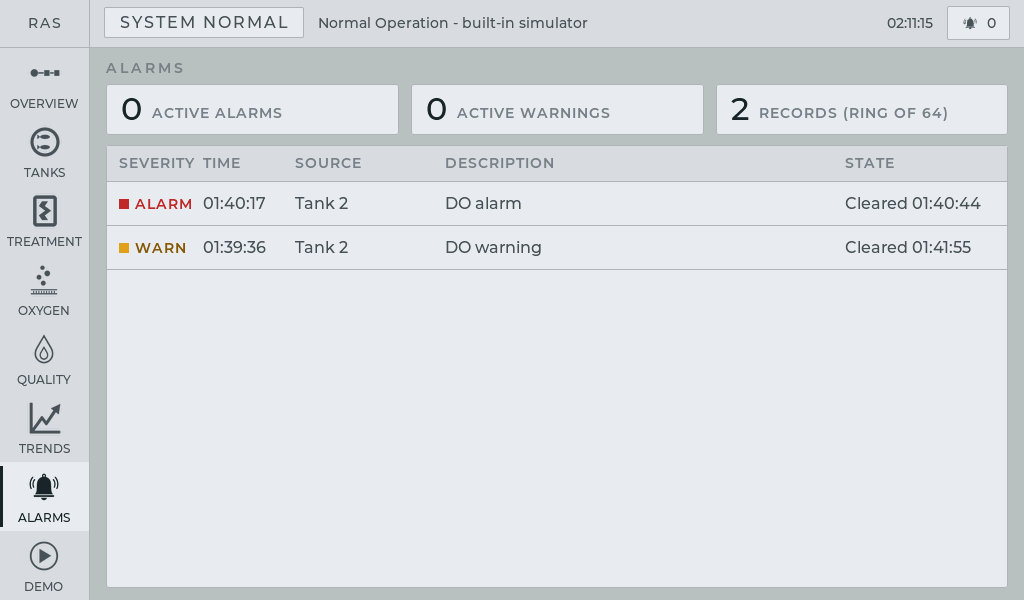
Active alarms remain visible at the top of the system and can be opened directly from the alarm counter.
The Alarms screen keeps the record of what happened and when. Trends show the recent process history together with warning and alarm guide lines, giving the operator the context behind the current state.
This keeps the normal plant visually quiet while making abnormal conditions easy to recognize and trace.
For a real installation, the HMI can combine traditional interfaces to local equipment with wireless measurement points and local controllers distributed around the site.
Modbus, analog and other traditional interfaces can connect pumps, treatment equipment and local controllers to the HMI.
Wireless nodes can carry measurements, equipment status and alarms, as well as confirmed commands such as Start/Stop, Auto/Manual and setpoints.
The package includes a one-click Windows flashing tool with the demo firmware built in. Connect the panel through the UART0 USB-C port, run the tool and the CrowPanel restarts directly into the RAS demo.
For this standalone demonstration, the process itself is simulated on the panel so the complete HMI can be evaluated without external hardware. The operator interface, alarm engine, trends and backup-oxygenation logic shown here are implemented in the application.
For a real installation, the same HMI structure can be connected to actual plant data through Modbus, analog inputs or LoRaWAN field devices and adapted to the specific RAS layout, equipment and operating rules.
The goal of the demo is to show how a complete aquaculture process can be presented on a compact local HMI before committing to the final hardware and field integration.
We can adapt the CrowPanel-based HMI to your tanks, treatment process, sensors, alarms, controls and required interfaces.