Home Energy Management HMI
Solar generation, battery storage, household consumption and grid exchange on one local CrowPanel touchscreen.
Residential energy management on one local HMI
This application demonstrates how a residential solar energy system can be monitored and presented on a dedicated local touchscreen.
The interface brings together solar generation, household consumption, battery operation and grid import or export in one view. It also provides energy history, source distribution, estimated savings and costs, and several operating scenarios.
The demo is fully self-contained on the CrowPanel. No inverter, battery, electricity meter, cloud service, external sensors or other energy equipment are required to explore the HMI and see how the complete operator workflow can be organized.
- ✓Live energy flow between Solar, Battery, Home and Grid
- ✓Current power and battery state of charge
- ✓Energy history and source distribution
- ✓Estimated savings, import cost and export revenue
- ✓Built-in operating scenarios for different energy conditions
See where the energy comes from — and where it goes
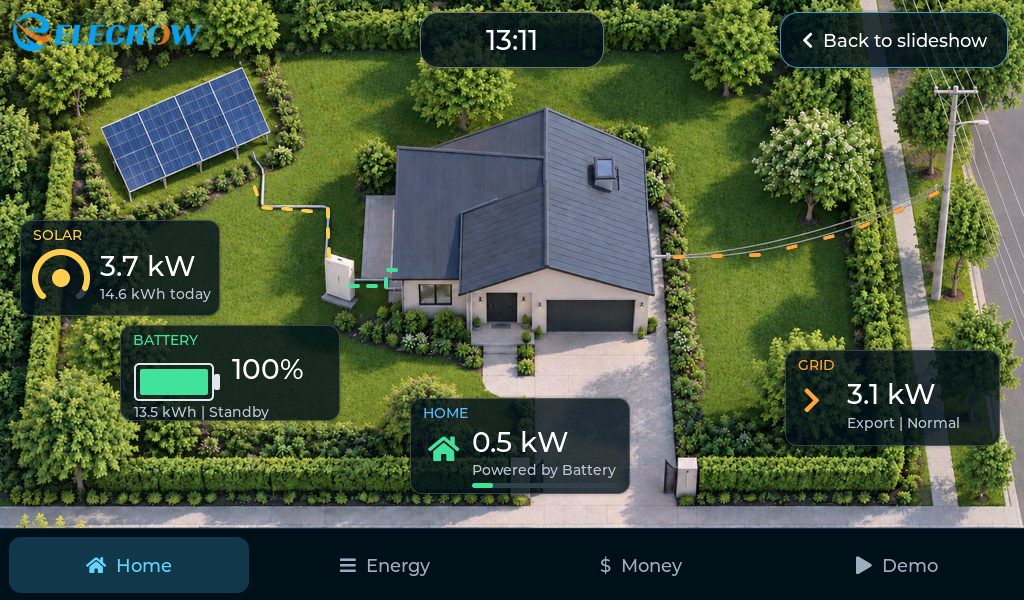
The Home screen turns the residential energy system into one clear visual flow. Solar, Battery, Home and Grid are shown together with their current power values and the direction of active energy transfer.
Understand not only the current power, but the energy behind it
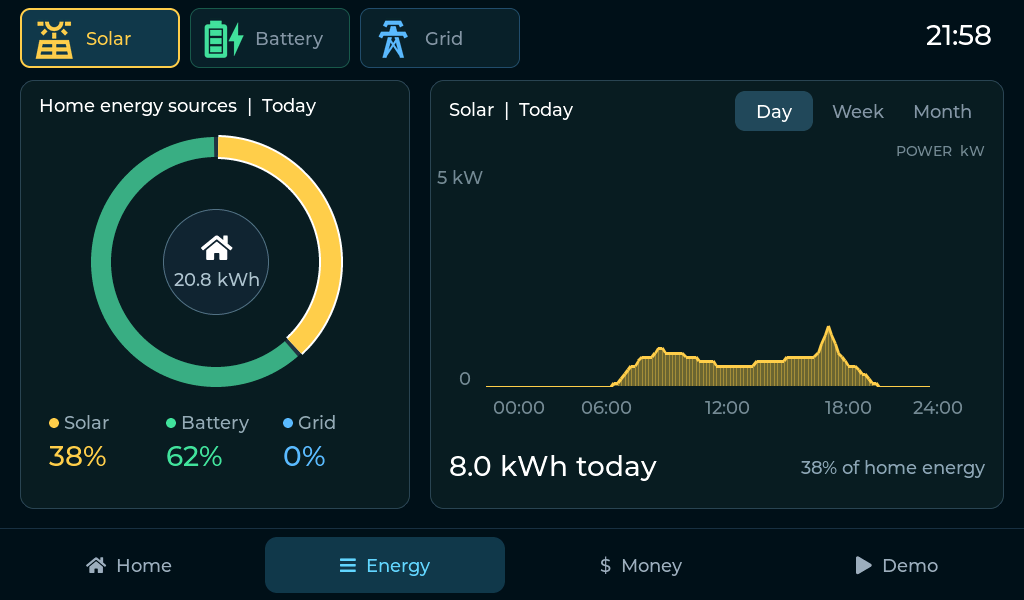
The Energy view combines accumulated values, source distribution and historical charts so the user can see how the home was powered over time.
Select Solar, Battery or Grid to focus on a particular source and review the corresponding summary values and chart.
Day, Week and Month views make it possible to move from the current operating picture to a longer-term view of energy generation, storage and grid exchange where that period is available.
Instead of showing only instantaneous kW values, the HMI adds the accumulated kWh and history needed to understand the energy balance over time.
Turn energy data into understandable costs and savings
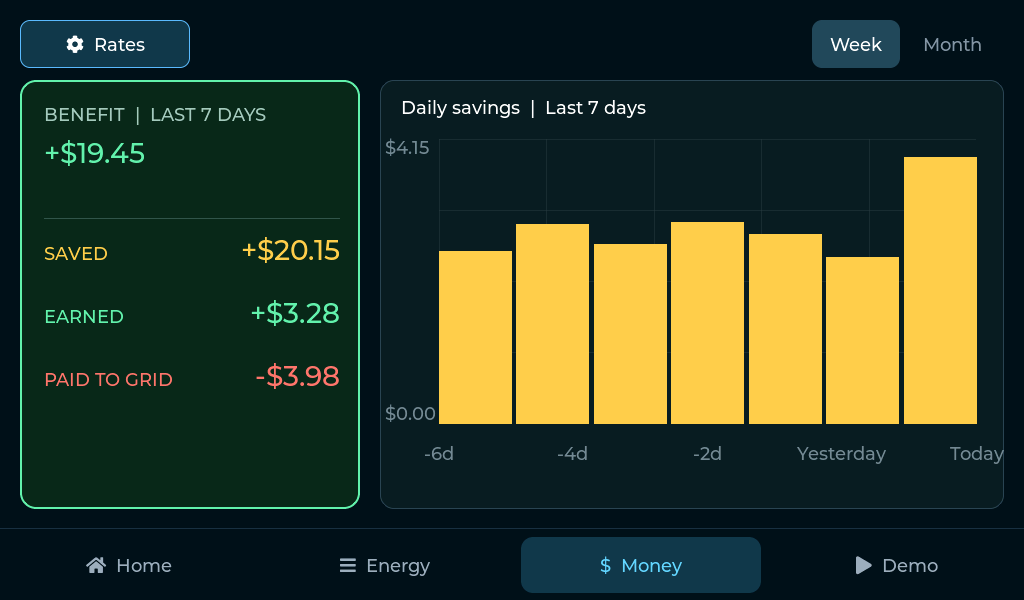
The Money view translates energy flows into an easy-to-read financial picture: estimated savings from locally used solar energy, revenue from exported energy, grid expenses and the resulting net benefit.
Saved represents the estimated value of solar energy used locally instead of being imported from the grid.
Earned shows estimated revenue from exported energy, while Spent shows the cost of grid imports. The HMI combines these values into a simple net-benefit view.
Week and Month views support longer comparisons, and the Rates view shows the import and export tariffs used for the calculation.
See how the system behaves when conditions change
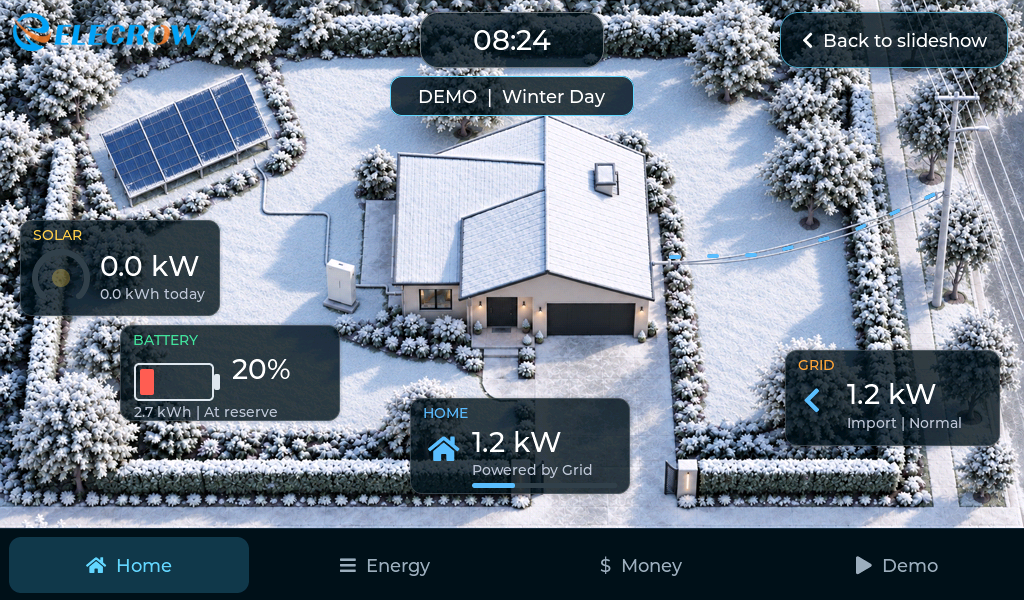
The demo includes built-in operating scenarios designed to show how a real energy-management HMI could reflect different conditions. Each scenario changes the complete energy picture — solar generation, household demand, battery operation and grid exchange — rather than changing isolated numbers.
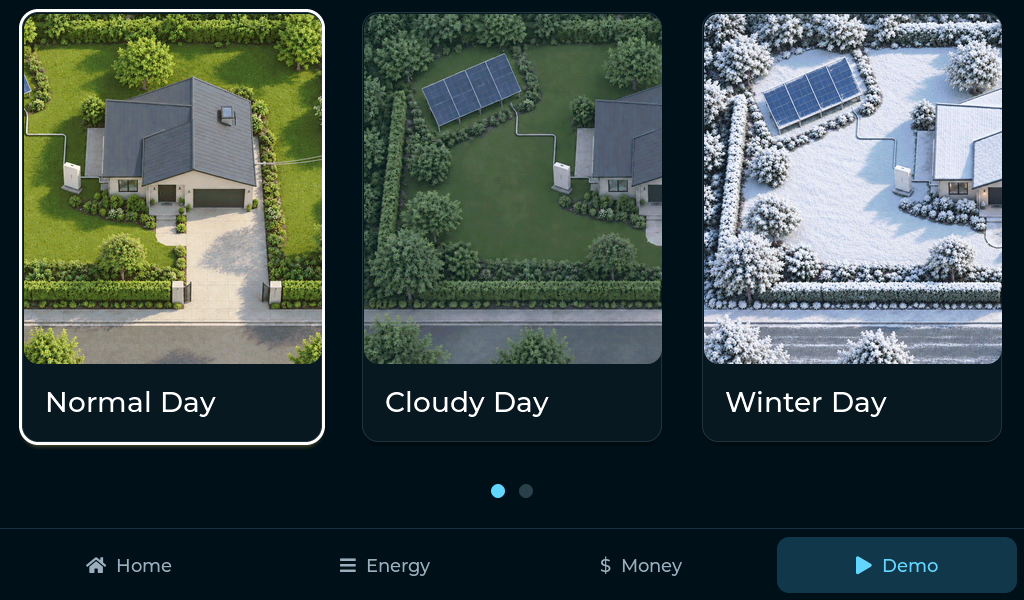
For example, Winter Day shortens the solar-generation window, lowers peak solar output and increases household demand. The resulting change can be followed directly in the energy flows, battery behavior and grid exchange.
In Grid Outage, grid import and export stop completely. Solar and the battery become the only available sources, showing how the same interface can present a fundamentally different operating state.
The scenarios are included to demonstrate how a finished HMI can communicate changing system behavior in a way that is easy to understand at a glance.
Run the Home Energy Management HMI on CrowPanel ESP32-P4
Download the project, flash the CrowPanel and explore the complete HMI directly on the panel. The demo is fully self-contained: no inverter, battery, electricity meter, cloud service, sensors or other external equipment are required, and no connection to a real home energy system is needed.
Need a Similar HMI for Your Energy Product?
We can adapt the interface, data model and CrowPanel configuration to your energy system, equipment, measurements, operating logic, tariffs, branding and user scenarios.